
(Awesome) Tool for Night Photographers – Star Trail CleanR
Astrolandscape photography has many challenges, on the field and even in post-processing. For anyone who has photographed star trails, stacking the frames quickly reveals the multitude of plane trails and space paraphernalia that litter a sky full of stars and the subsequent tedious task of removing them. Not fun.
Thanks to a fellow night photographer, Bruce Herwig, there is a new (and free) tool that does much of the heavy lifting in removing these pollutants from your frames, before you even stack them! I have been testing the tool and have also been one of the contributors, providing images to teach the AI software that he used to build it.
The Mess
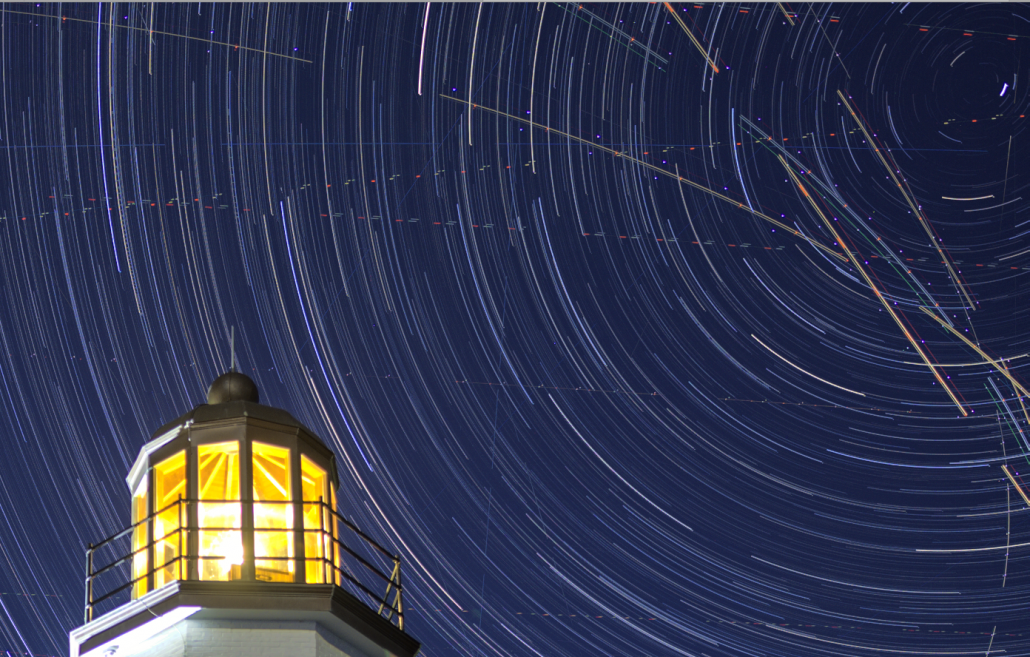
Here’s a star trail image of Scituate Lighthouse located south of Boston, MA. Due to its proximity to Boston’s Logan Airport, plane trails are unavoidable. Notice the curve of the trails created since the planes turn as they gain altitude. Yes, it’s a special kind of mess. Plane trails are commonly linear, but when the subject is in close proximity to a busy international airport, like Scituate Lighthouse is, now the trails are curved, adding to the tedium of removing them.
📷Nikon Z9 | [ ◉¯] Nikkor Z 20mm f/1.8 S | ISO 100 | 𖣐 f/1.8 | ⏱️– 8 seconds | 608 frames
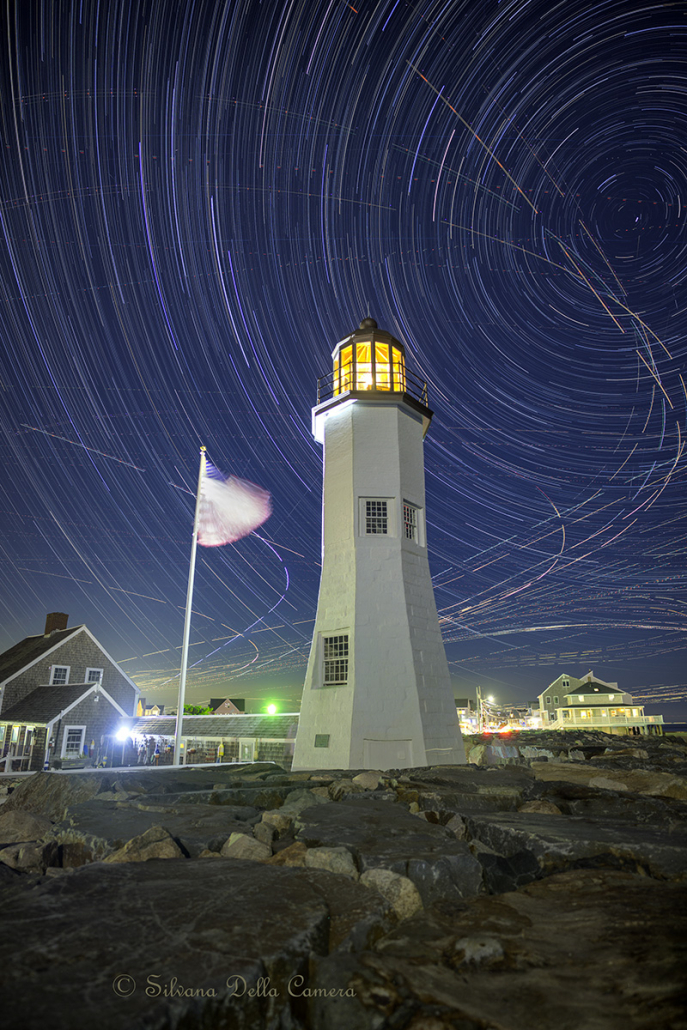
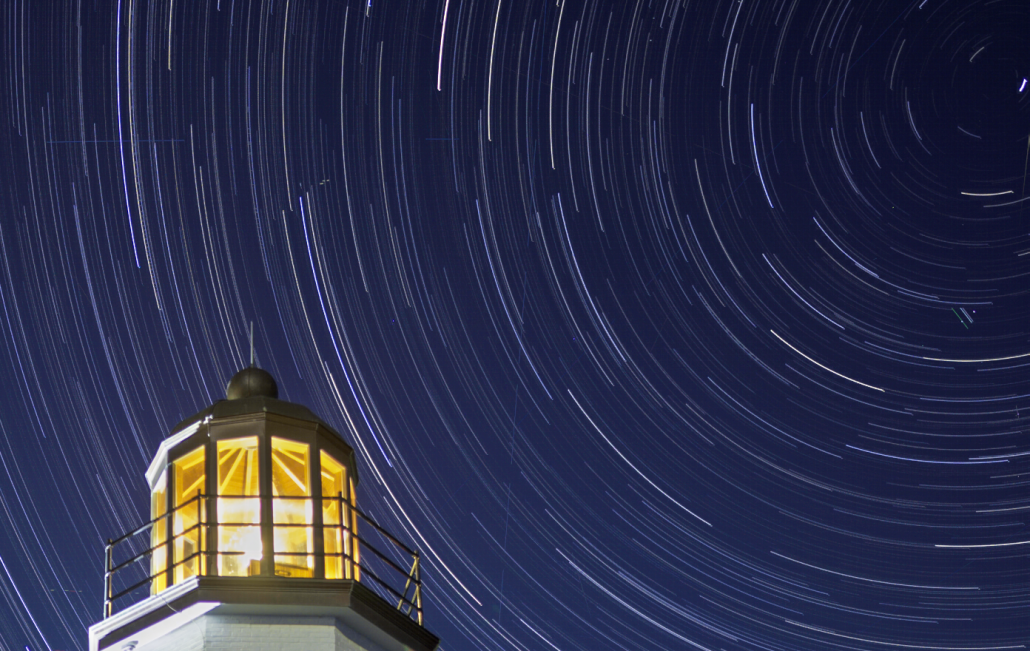
Here’s a detail look at the top right of the frame. It’s even worse up close. The airplane trails and satellite trails are rampant.
On images like this, I often leave the plane trails in. It shows the reality of the stuff in the sky. Plus, it takes too long to clean up the mess. I have better things to do.
Star Trail CleanR
Star Trail CleanR is very easy to use and can handle 8 and 16-bit TIFF files and JPEGs. Convert your RAW files first and load them into a folder. Careful that you don’t apply lens corrections when converting them. Stacking lens-corrected frames creates problems in the final stacked image.
- Select the folder where the TIFF or JPEG frames to clean are.
- It will automatically create a “Cleaned” subfolder within it. You can override this by browsing to a different folder.
- Add a mask to the foreground (optional). I like to add a mask so the software doesn’t bother spending time looking for stars where there aren’t any.
- Select the type of cleaned output file – TIFF (8 or 16-bit) or JPEG.
- You can choose to do a small batch run or all the images. Selecting a small batch will give you insight into how long your machine will take to process. Choose from 20, 50, 100, or 250 frames. The cleanup speed is contingent upon the computer’s memory and processor.
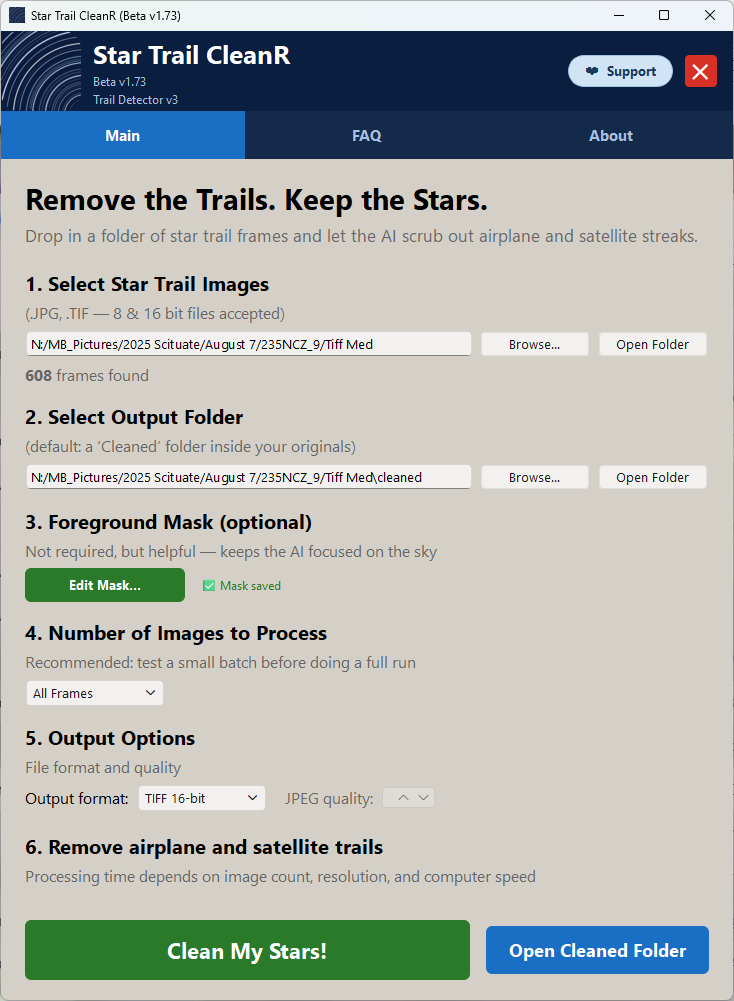
Tap “Clean My Stars!”.
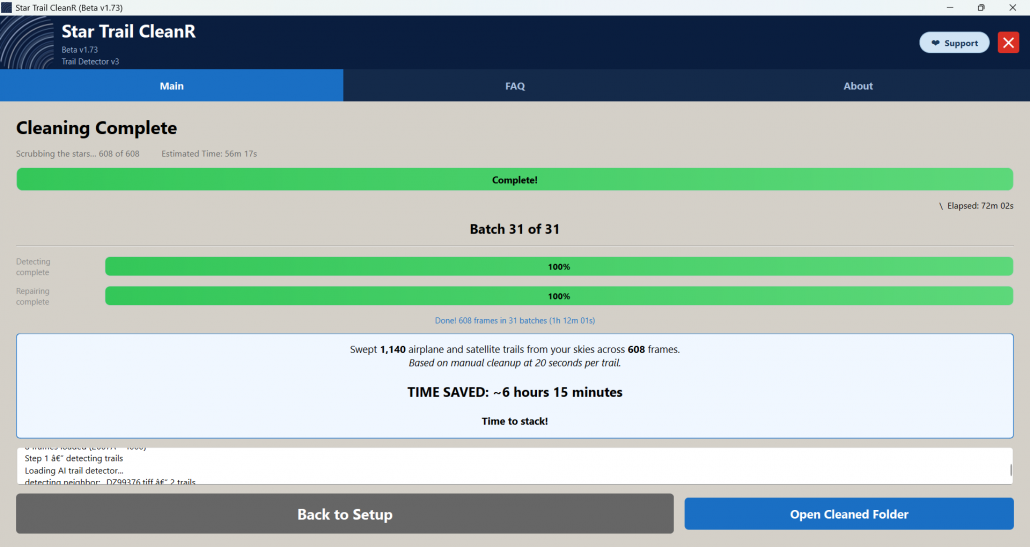
Stack the Cleaned Frames
I use StarStaX (runs on PC and Mac) and Sequator (PC only) for stacking images. StarStaX does a great job at filling gaps, and it handles TIFF and JPEG files. No RAW. Below, StarStaX after stacking the cleaned images.
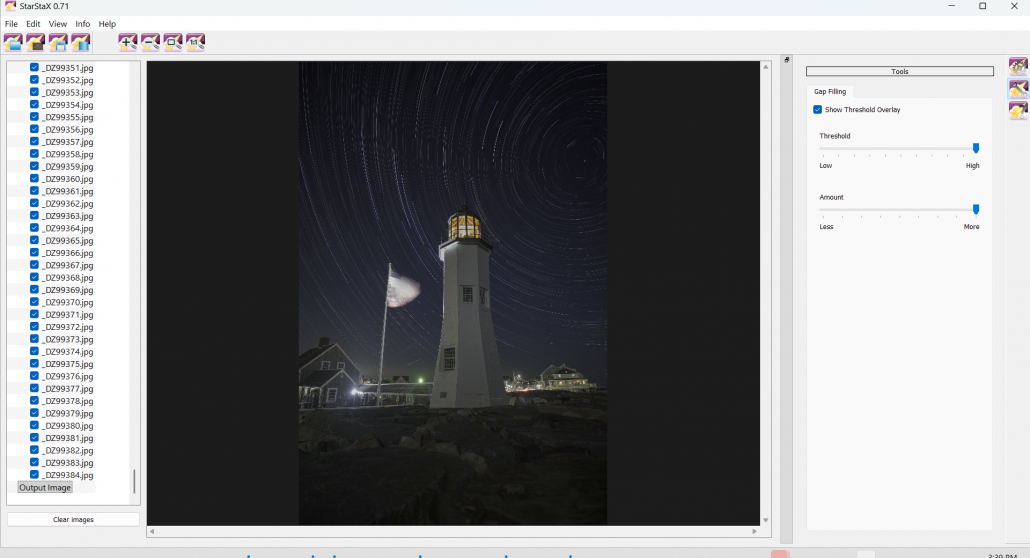
The final stacked image processed in Photoshop. A big improvement overall without any tedious cleanup. There are some trails it didn’t clean, but they are easily taken care of with minimal effort. I didn’t do any further cleanup at all. There are just a few remaining trails. Considering the mess it was, I am truly impressed!
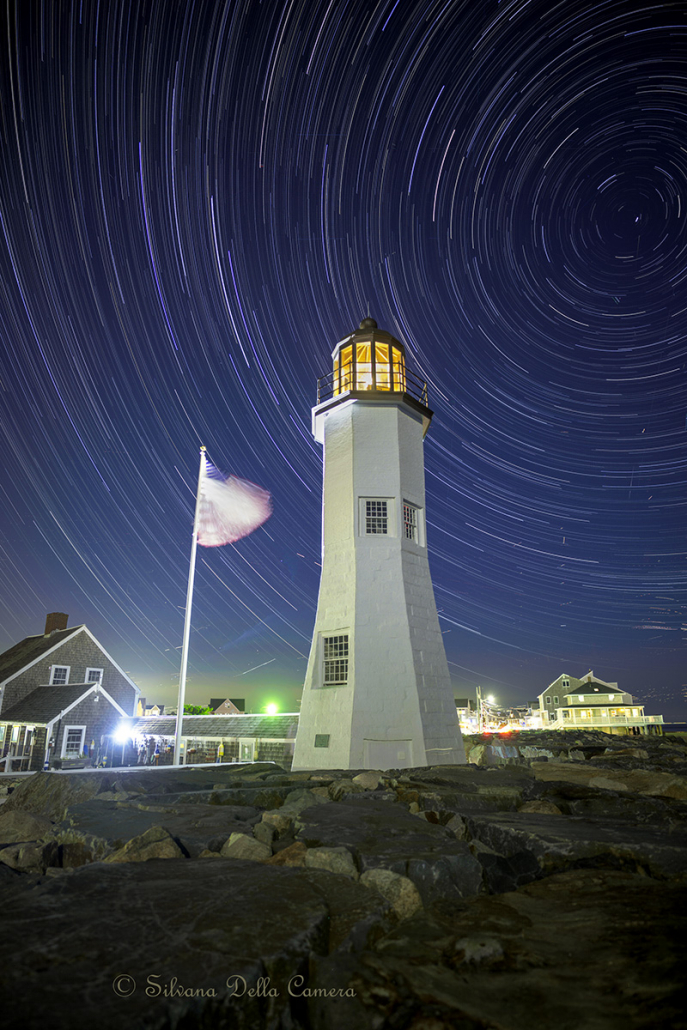
Compare the cleaned star trails (1st frame) to the original (2nd frame).
Conclusion
I highly recommend this fantastic tool to anyone who loves creating star trails. It is available for PC and Mac computers.
PC users – you will get a warning message when installing it. Click “More Info” and select Run Anyway. Since it’s a new application, your anti-virus may stop it. My anti-virus software (Avast) blocked it until it passed inspection. Since I was a beta tester, I would suspend the anti-virus shields upon each installation just to get past the delays.
Get your Star CleanR here. This is an ideal tool for astrolandscapes.
This is an impressive application, and it’s still in beta! It’s getting faster and more refined with each release.
Consider supplying Bruce with your star trail TIFF frames, so the application can become even more refined and accurate.
© Silvana Della Camera
To learn about upcoming workshops and tips on photography, consider subscribing to my website.
Taking photos and want to make them more compelling?
Art isn’t just for walls. Art is also to hold in one’s hands.


 Silvana Della Camera
 Silvana Della Camera






So how about a link? Looked at the app store and it was not there.
Hi Kerry,
The link is in the post, sometimes difficult to see thanks to WordPress not highlighting links. It’s not in the appstore, but here:
https://bruceherwig.wordpress.com/star-trail-cleanr/
Clear skies, Silvana